In this article
This article shows how to assemble, in Engrenarium, a mechanism operating as a CVT transmission using a single-stage planetary assembly. The example demonstrates two conditions: forward and reverse.
Assembly data
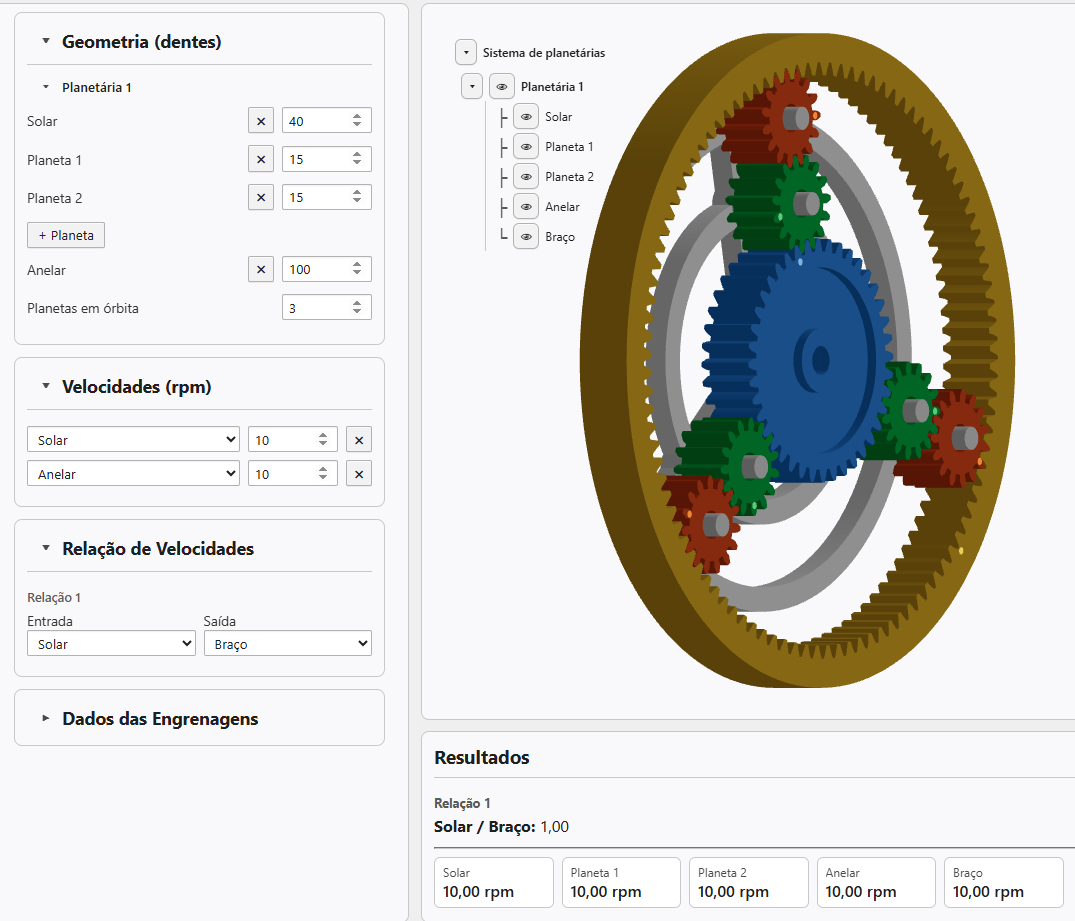
Open a new project in Engrenarium. In the parameters panel, add one more planet gear and configure the set geometry with the following tooth counts:
| Element | Tooth count |
|---|---|
| Sun gear | 40 |
| Planet gear 1 | 15 |
| Planet gear 2 | 15 |
| Ring | 100 |
In the angular-velocity fields, enter \(10.0\ \mathrm{rpm}\) in the sun gear and \(10.0\ \mathrm{rpm}\) in the ring. In the ratio settings, select sun gear as input and carrier as output.
Forward drive
In this first condition, the results panel shows a sun-gear-to-carrier ratio equal to \(1.0\). As sun gear and the ring have the same angular velocity, the entire train follows this movement: sun gear, planet gear 1, planet gear 2, ring and carrier rotate at \(10.0\ \mathrm{rpm}\).
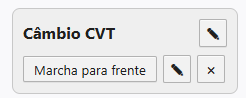
After checking the result, click save data. In the saved panel, rename the title to CVT transmission and the first saved condition to Forward drive.
Equation of the mechanism
For this assembly, the kinematic reading can be written in terms of velocities relative to the carrier. Using \(S\) for sun gear, \(A\) for ring and \(B\) for carrier:
When there is relative movement between ring and carrier, the same expression can also be read as:
Isolating the carrier speed, we obtain:
With \(\omega_S = 10.0\ \mathrm{rpm}\), the ring starts to function as a control variable. If \(\omega_A\) is reduced continuously, the carrier speed also changes continuously. In this sense, the example represents the principle of a CVT transmission: the output ratio is not chosen only by a fixed gear, but by the boundary condition applied to the assembly.
Reverse gear
To assemble the second condition, keep sun gear at \(10.0\ \mathrm{rpm}\) and change the ring speed to \(0.0\ \mathrm{rpm}\). Engrenarium now shows a sun-gear-to-carrier ratio equal to approximately \(-1.5\).
The negative sign indicates that the carrier rotates in the opposite direction to that of the sun gear. The example results are: sun gear \(10.0\ \mathrm{rpm}\), planet gear 1 \(-51.1\ \mathrm{rpm}\), planet gear 2 \(37.8\ \mathrm{rpm}\), ring \(0.0\ \mathrm{rpm}\), and carrier \(-6.7\ \mathrm{rpm}\).
The velocities of the planets come from the contact relations with the sun gear and the ring:
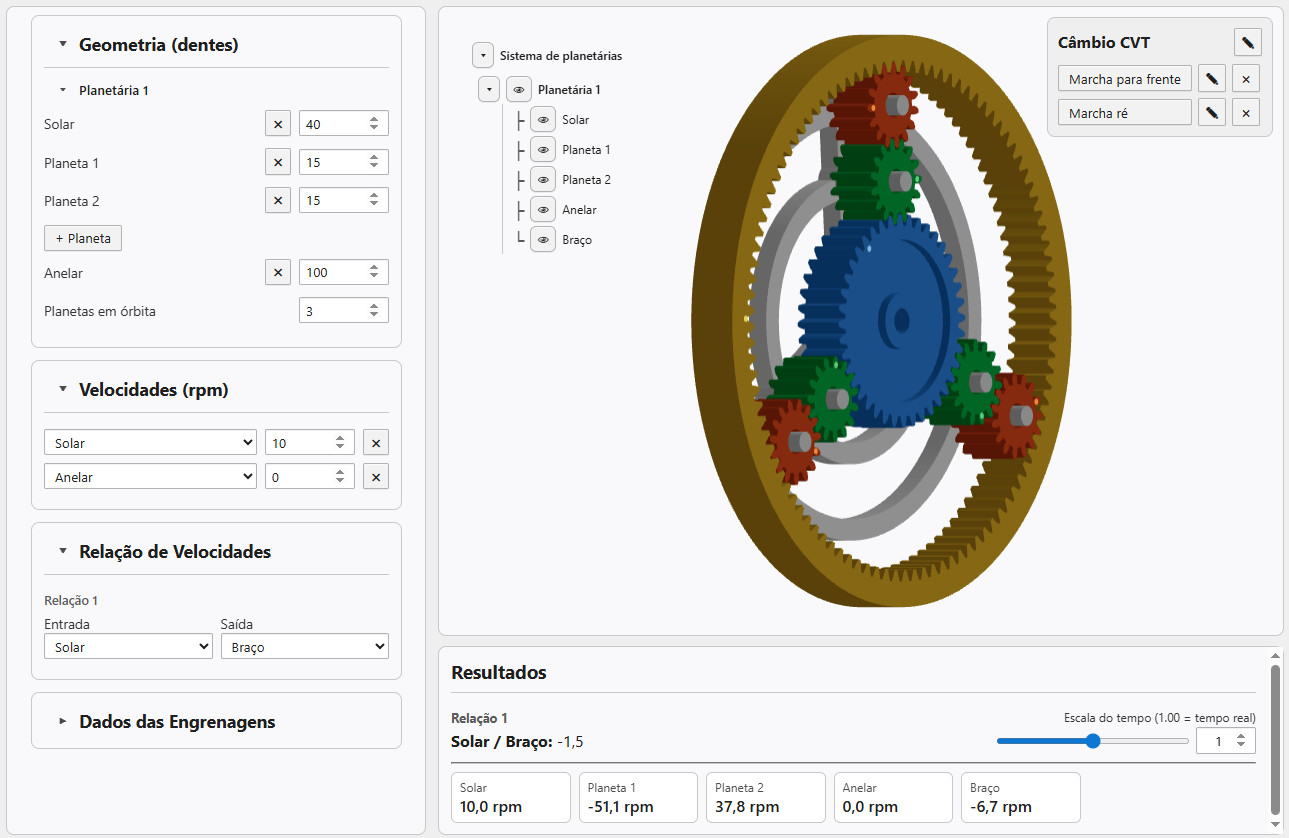
Save this second condition and rename the saved condition to Reverse gear. When clicking Forward drive or Reverse gear, Engrenarium restores the respective boundary conditions of the mechanism.
Why does the example represent a CVT
The whole point isn't just to get two gears. The ring can take intermediate values, and each value changes the speed of the carrier. Keeping the sun gear at \(10.0\ \mathrm{rpm}\), for example, the output is zero when:
Above this value, the carrier rotates in the same direction as the sun gear; below it, it rotates in the opposite direction. The mechanism, therefore, allows you to visualize a continuous transition between forward, stop and reverse through the speed imposed on the ring.
Questions about an equation or result? Send this page address and your calculation inputs to arturavelar@ufsj.edu.br. · About the author · Privacy